

How Long Does It Take to Build a Website? A Realistic Timeline
Building a website can take days, weeks, or months depending on its complexity. Learn realistic development timelines, what causes delays, and how to plan a successful launch.

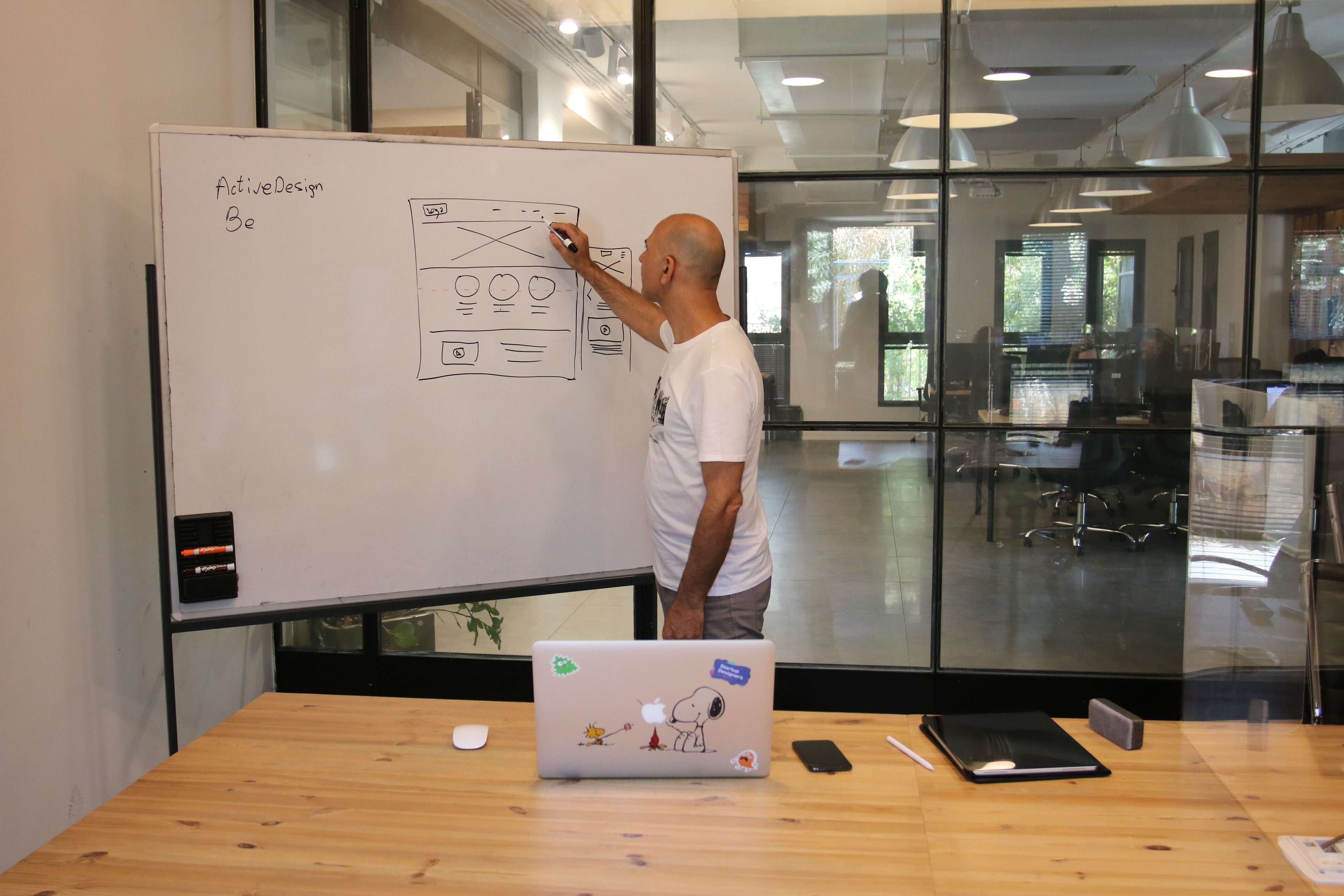
- Website Development Timeline
- The estimated period required to plan, design, develop, test, and launch a website.
- Website Planning
- The process of defining a website's goals, target audience, structure, content, and functional requirements before development begins.
- Project Scope
- The agreed work, features, pages, and deliverables included in a website development project.
- Wireframe
- A simplified visual representation of a webpage's layout and content structure before detailed design.
- Responsive Web Design
- An approach that allows website layouts and content to adapt to different screen sizes and devices.
- Content Management System (CMS)
- Software that allows authorized users to create, edit, and manage website content.
How long does it take to build a website? For a small business, the answer is often somewhere between two and eight weeks. A simple landing page might be ready in a few days, while a custom website with booking systems, ecommerce functionality, or business integrations can take several months.
The timeline depends on more than the number of pages. Design requirements, content preparation, technical features, client feedback, and testing all influence when a website can go live.
For example, a five-page website for a local roofing company may be relatively straightforward. The same number of pages for a medical practice could require appointment scheduling, patient information workflows, and additional privacy considerations.
Both projects have five pages, but they involve different amounts of work.
This guide breaks down realistic website development timelines, explains each stage of the process, and shows how business owners can avoid delays without sacrificing quality.
How Long Does It Take to Build a Website?
A simple website can take a few days to create, but most professionally developed business websites require several weeks of planning, design, development, and testing.
Here are some illustrative timelines based on common project types.
Website type | Estimated timeline | Typical requirements |
|---|---|---|
Simple landing page | 1–7 days | Single page, basic design, contact form |
Template-based website | 1–3 weeks | Existing theme, standard pages, limited customization |
Small business website | 3–6 weeks | 5–10 pages, responsive design, contact forms |
Custom business website | 4–8 weeks | Original layouts, tailored functionality, integrations |
Ecommerce website | 4–12 weeks | Product catalog, checkout, payment and shipping setup |
Complex website or web application | 3–6+ months | Customer accounts, dashboards, advanced workflows |
These are illustrative planning ranges, not guaranteed delivery times or independently measured industry averages. They assume a reasonably defined scope and timely access to required materials. Some stages can overlap.
The development approach also matters. CodenVibe's published guidance describes approximately two to three weeks for suitable WordPress or Shopify projects and a typical four-to-eight-week window for custom business websites.
However, a project involving a large product catalog, complicated data migration, or several third-party systems may take longer.
The most reliable timeline comes from a written project scope that identifies the required work, dependencies, milestones, and approval process.
What Are the Main Stages of Building a Website?
Website development generally moves through several stages. Understanding them helps explain why a professional website takes longer than simply arranging text and images on a page.
Stage 1: Discovery and Website Planning
Estimated time: 2–5 business days for a straightforward small business project.
The first stage focuses on understanding what the website needs to accomplish.
A developer or agency may ask about your business, target customers, existing website, desired features, and competitors.
For example, a local HVAC company might need separate pages for AC repair, installation, maintenance, and service areas. Its website should help visitors identify the right service and request an appointment.
During planning, the team typically defines:
Business goals and primary conversion actions
Target audience and customer needs
Required pages and website structure
Essential features and integrations
Preferred platform or development approach
Content responsibilities
Project milestones and deliverables
At the end of this stage, the business and development team should have a shared understanding of what will be built.
A clearly defined scope can reduce costly changes later.
Stage 2: Content Preparation and Website Design
Estimated time: 3–10 business days for a typical small business website.
Once the requirements are understood, the team can begin planning page layouts and visual design.
Design work may include wireframes, homepage concepts, typography, colors, navigation, and mobile layouts.
A wireframe is a simplified representation of a webpage that shows where important elements will appear before detailed visual styling is added.
At the same time, the project needs content.
That includes service descriptions, headings, company information, photographs, testimonials with permission, and contact details.
Content preparation is often one of the biggest variables in the schedule.
A business with approved copy and professional images may move through this stage quickly. Another company might need several rounds of interviews, writing, photography, and internal review.
A useful approach is to prepare content while the initial design is being developed. This allows tasks to move forward together without relying on unfinished text for every layout decision.
Stage 3: Website Development
Estimated time: 1–4 weeks for many small-to-medium business websites.
This is where the approved design becomes a working website.
Developers build the page layouts, navigation, forms, responsive behavior, and other agreed functionality.
Depending on the project, development may also involve:
Configuring a content management system
Connecting contact forms to email or a CRM
Building product catalogs and checkout flows
Creating booking or appointment functionality
Integrating third-party services
Configuring website security and access permissions
Setting up analytics and conversion tracking
A standard WordPress website may use established themes and plugins to accelerate implementation.
A custom website may require more development because its components and workflows are created specifically for the business.
Neither approach is automatically better.
Our guide to custom websites vs. WordPress and Shopify explains how to choose a platform based on your requirements rather than assuming custom development is always necessary.
Stage 4: Testing and Quality Assurance
Estimated time: 2–7 business days, depending on complexity.
A website isn't ready simply because the pages look finished.
Testing helps identify problems before customers encounter them.
A developer should check whether the website works correctly on relevant devices and browsers, whether forms submit successfully, and whether important navigation paths make sense.
Typical testing activities include:
Checking mobile, tablet, and desktop layouts
Testing navigation and internal links
Submitting contact and booking forms
Reviewing page content and images
Checking browser compatibility
Testing interactive features
Reviewing accessibility considerations
Checking loading performance
Verifying essential analytics events
The official MDN guide to cross-browser testing explains why websites should be tested across different devices and browsing environments.
Accessibility should also be considered. The W3C Web Content Accessibility Guidelines provide recognized standards for making digital content usable by people with disabilities.
Testing should happen throughout development rather than being treated as a single final task.
Stage 5: Final Review and Website Launch
Estimated time: 1–3 business days for a straightforward launch.
Before the website goes live, the business owner or project manager should review the completed work against the agreed requirements.
This is sometimes called user acceptance testing, or UAT.
The final review should confirm that the website's content is accurate, essential features work, and the agreed deliverables have been completed.
Launch preparation may include:
Connecting the production domain
Configuring hosting and HTTPS
Reviewing forms and email notifications
Checking page titles and indexing settings
Publishing the XML sitemap
Configuring analytics
Creating backups
Testing the live website
For an existing website being replaced, the process may also include content migration, URL redirects, and additional SEO checks.
A successful launch means the website is publicly accessible and its important functions work. It does not mean search engines will immediately index every page.
Example: A Six-Week Small Business Website Timeline
Consider a US home services company that needs a professional seven-page website.
The project includes a homepage, about page, service pages, contact page, mobile-responsive layouts, an estimate request form, and basic technical SEO setup.
A reasonable planning schedule might look like this:
Week | Main activities | Expected milestone |
|---|---|---|
Week 1 | Discovery, requirements, sitemap, content collection | Scope and page structure approved |
Week 2 | Wireframes, visual design, content preparation | Main layouts approved |
Week 3 | Homepage and reusable component development | Working website foundation |
Week 4 | Remaining pages, forms, responsive layouts | Feature-complete staging website |
Week 5 | Testing, revisions, SEO and analytics checks | Website ready for client review |
Week 6 | Final approval, launch preparation, deployment | Website goes live |
This example assumes that the client provides feedback promptly and no major functionality is added after the scope is approved.
Some tasks can overlap. Developers may begin building reusable components while other pages are still being designed. Content preparation can also continue alongside design work.
However, delaying homepage approval or changing the website structure during development can affect the entire schedule.
The purpose of a project timeline isn't to predict every working day perfectly. It's to establish realistic milestones and identify what must happen before the next stage can begin.
How Long Does It Take to Build Different Types of Websites?
Not every website requires the same development process.
The following examples show why project complexity matters more than page count alone.
How Long Does It Take to Build a Landing Page?
A simple landing page may take one to seven days when the content, branding, and requirements are already available.
For example, a local landscaping company might need a page for a seasonal promotion with a headline, service information, photographs, and a quote request form.
A straightforward implementation can move quickly because it uses a limited number of sections and features.
However, a landing page requiring original photography, custom animation, multiple design concepts, or complex tracking may take longer.
How Long Does It Take to Build a WordPress Website?
A straightforward WordPress website can often be completed in approximately two to four weeks.
Using an established theme and reusable components can reduce the amount of original development required.
WordPress can be a practical choice for service businesses, blogs, and organizations that need to update content regularly.
However, installing WordPress itself is only a small part of the project. The team still needs to configure layouts, add content, test forms, check mobile usability, and prepare the website for launch.
A heavily customized WordPress website may require considerably more time.
How Long Does It Take to Build a Shopify Website?
A relatively simple Shopify store may be ready in two to four weeks when products, content, payment requirements, and shipping rules are already defined.
Shopify provides established ecommerce functionality, which can reduce the amount of custom development required.
However, the actual timeline depends on the store's requirements.
A store with 20 well-organized products and standard checkout needs is different from one with thousands of products, complicated variants, multiple inventory locations, or custom integrations.
For businesses using established ecommerce platforms, CodenVibe's WordPress and Shopify development services cover website and storefront implementation.
How Long Does It Take to Build a Custom Website?
A custom business website may take four to eight weeks or longer, depending on its features.
Custom development can be useful when a business needs specialized functionality that established platforms cannot support effectively.
Examples include advanced quote calculators, customer portals, booking workflows, and integrations with internal software.
A business that needs a custom website for lead generation may have a relatively manageable project.
A company that requires account-based pricing, real-time data synchronization, and administrative dashboards will need a larger development effort.
The scope should determine the timeline, not simply the label "custom."
For more information about this type of work, see CodenVibe's custom web development services.
How Long Does It Take to Build an Ecommerce Website?
An ecommerce website can require four to twelve weeks or more.
The timeline depends on product management, checkout requirements, payment providers, shipping configuration, and integrations.
A basic store using an established platform may launch sooner.
Custom ecommerce functionality can require additional time for development, security checks, testing, and operational preparation.
Before requesting a timeline, clarify whether the project includes product uploads, payment configuration, tax settings, inventory integration, and order notification workflows.
What Factors Can Delay Website Development?
Even a well-planned website project can experience delays.
Some delays are technical, while others occur because important decisions or materials aren't available when needed.
1. Missing Website Content
Developers cannot finalize every page if essential information is missing.
A service-business website may require approved service descriptions, accurate contact information, locations served, photographs, and testimonials.
If those materials arrive after development begins, layouts may need to be adjusted.
How to avoid it: Assign responsibility for content preparation early and agree on delivery dates.
2. Slow Feedback and Approval
Website projects often require several client decisions.
A designer might submit a homepage concept on Monday, but if approval takes two weeks, development can be delayed even though the design work is complete.
Feedback from multiple stakeholders can create additional delays when their recommendations conflict.
How to avoid it: Appoint one decision-maker who can gather feedback and provide consolidated approvals.
3. Changes to the Project Scope
Adding features during development can affect both the budget and timeline.
For example, a business may initially request a contact form but later decide it needs an appointment booking system with calendar synchronization and payment processing.
That is more than a visual revision. It introduces additional functionality, testing, and potentially third-party dependencies.
How to avoid it: Separate essential launch features from ideas that can be developed later.
4. Third-Party Integrations
Some websites must connect to external services such as CRMs, booking platforms, inventory systems, or payment providers.
Even when the development work is straightforward, access permissions, account verification, documentation limitations, and external approvals can affect progress.
How to avoid it: Identify required integrations during planning and secure the necessary accounts and credentials before implementation.
5. Migrating an Existing Website
Redesigning an existing website can require more work than starting a new one.
The development team may need to preserve content, handle changed URLs, transfer data, retain important functionality, and configure redirects.
Google's website migration documentation explains why redirects, updated internal links, and indexing checks matter when URLs change.
How to avoid it: Audit the existing website before estimating the redesign timeline.
How Can You Build a Website Faster Without Sacrificing Quality?
A shorter project timeline is possible when the work is planned carefully.
However, reducing unnecessary delays is different from skipping important development and testing.
Prepare Your Content Before Development Starts
Gather your logo, brand colors, service information, photographs, contact details, and other essential materials before the project begins.
Approved content helps the team design pages around real information rather than temporary placeholder text.
Start With Essential Features
Not every feature needs to be available on the first day.
For example, a local service company may initially need a homepage, service pages, contact form, and project gallery.
A customer portal or advanced scheduling tool might be useful later, but it may not be necessary for the initial launch.
Starting with a clearly defined first version can shorten the development process while leaving room for future improvements.
Use Reusable Design Components
Consistent headers, footers, buttons, cards, and page layouts make a website easier to build and maintain.
Developers can reuse these elements throughout the site rather than creating every page from scratch.
This is particularly useful for service businesses with several pages following similar structures.
Give Clear, Consolidated Feedback
Instead of sending individual changes throughout the day, review designs and provide organized feedback.
For example, one consolidated review might address typography, navigation, imagery, and section order.
This makes it easier for the team to understand priorities and avoid repeated revisions.
Avoid Rushing Testing
Removing testing from the schedule may appear to save time, but unresolved problems can create additional work after launch.
A broken contact form or checkout issue may affect actual customer inquiries and orders.
Keep essential quality checks in the plan, even when the launch deadline is tight.
What Should You Prepare Before Hiring a Website Developer?
You don't need a complete technical specification to start a website project.
However, a few basic decisions can make the planning process significantly easier.
Use this checklist before requesting an estimate:
Business goals: Define what you want the website to achieve.
Target audience: Identify the customers the website should serve.
Page requirements: List the main pages you expect to need.
Required features: Identify forms, booking, payments, or integrations.
Brand materials: Gather your logo, colors, fonts, and visual references.
Content: Prepare service descriptions, product information, and photographs.
Domain and hosting: Identify existing accounts or determine who will set them up.
Decision-maker: Assign someone to review designs and approve changes.
Budget: Set a realistic investment range.
Launch deadline: Explain any event, campaign, or business reason behind the target date.
You should also ask the developer which tasks depend on your involvement.
This helps distinguish development time from time spent waiting for content, access, or approvals.
How to Evaluate a Website Development Timeline
When an agency tells you a website will take four weeks, ask what that estimate actually includes.
Does the four-week period begin when you first contact the agency, when the agreement is signed, or after content and requirements have been approved?
These distinctions matter.
A useful project schedule should identify the expected start date, major milestones, review periods, and launch criteria.
It should also clarify how additional work affects delivery.
Questions to Ask Before Agreeing to a Timeline
When does the project officially start? Confirm whether the schedule begins after the deposit, discovery process, or receipt of required materials.
What do you need from me? Identify content, account access, and approval responsibilities.
When will I review the design? Request a clear design approval milestone.
Will I be able to test the website before launch? Ask about staging access and user acceptance testing.
How are additional features handled? Confirm how scope changes affect the schedule.
What happens if the project is delayed? Understand how updates and revised deadlines will be communicated.
What counts as completion? Establish the criteria for final approval and website handover.
A realistic schedule should also allow some flexibility for unexpected technical issues.
A promise to deliver a complicated website in just a few days is not necessarily a sign of efficiency. It may indicate that important work has been excluded from the estimate.
Does Website Cost Affect Development Time?
Price and development time are related, but one doesn't determine the other.
A website with a larger budget may require more specialized work, custom design, integrations, and testing.
However, increasing the budget doesn't automatically reduce the number of weeks required.
Some tasks depend on sequential decisions. A developer cannot finalize a particular feature until its business requirements are agreed upon, regardless of the size of the team.
Similarly, a low-cost template website may launch quickly because it uses an established system and limited customization.
When comparing proposals, evaluate the work included, not just the price or delivery date.
Our article on how much web design costs explains how website complexity, professional services, and ongoing expenses affect the budget.
What Happens After Your Website Goes Live?
Launching a website is an important milestone, but it isn't the end of its lifecycle.
After launch, you should confirm that forms, analytics, navigation, and important features continue working in the production environment.
Monitor the website for technical errors and make sure your team understands how to update routine content.
How Long Does It Take for Google to Index a New Website?
Website launch and Google indexing are separate processes.
Your website may be publicly accessible as soon as deployment is completed, but Google still needs to discover, crawl, and evaluate its pages.
Google's official recrawling guidance explains that crawling may take several days to several weeks and that submitting an indexing request does not guarantee immediate inclusion in search results.
A newly launched website should have appropriate indexing settings, accessible internal links, and a sitemap where useful.
You can use Google Search Console to monitor indexing and identify problems.
Being indexed also doesn't guarantee a particular search ranking.
Website Monitoring and Maintenance
After launch, businesses may need content updates, security patches, backups, performance monitoring, and bug fixes.
The amount of ongoing work depends on the website's technology and functionality.
A basic informational website may require relatively limited maintenance, while an ecommerce platform or application with multiple integrations needs closer attention.
A documented support arrangement makes it clear who is responsible when updates or repairs are required.
You can learn more about these responsibilities through CodenVibe's website maintenance services.
Website Launch Checklist for Business Owners
Before approving the final launch, check the following:
Check | What to verify |
|---|---|
Content | Business details, services, pricing, and contact information are accurate |
Mobile usability | Pages and important actions work on phones |
Navigation | Menus and internal links lead to the correct pages |
Forms | Submissions reach the intended destination |
Performance | Important pages load and respond acceptably |
Security | HTTPS works and appropriate access controls are configured |
SEO | Page titles, indexing settings, and canonical URLs are reviewed |
Analytics | Important visits and conversion events are measured correctly |
Migration | Redirects work if existing URLs have changed |
Handover | Your team has the necessary access and documentation |
A checklist won't eliminate every possible issue, but it gives the business owner a practical way to review the finished website.
The goal is to launch something customers can use confidently, not simply reach a date on the calendar.
Conclusion
How long does it take to build a website? A straightforward business website may take two to six weeks, while custom development commonly requires four to eight weeks or longer. Ecommerce websites and complex applications may require several months.
The actual timeline depends on your website's scope, content readiness, development approach, required integrations, and approval process.
The best way to keep a project on schedule is to define your requirements early, prepare essential materials, communicate clearly, and avoid unnecessary changes during development.
Most importantly, don't measure success only by how quickly a website goes live. A website that launches a week later but works reliably, supports your customers, and is easy to manage may provide far more value than a rushed project that requires immediate repairs.
Set a realistic timeline, understand what each stage involves, and make sure the finished website is ready for your business—not just ready to publish.
Frequently Asked Questions
A simple business website may take approximately two to six weeks, while a custom website may take four to eight weeks or longer. The exact timeline depends on page count, design requirements, functionality, content preparation, and testing. Complex websites with specialized integrations or customer accounts can require several months.
Yes, a basic landing page or small template-based website can sometimes be completed within one week when content, branding, and requirements are ready. However, custom designs, complex features, and extensive testing may require additional time. A one-week timeline should not be assumed for every business website.
A straightforward five-page business website may take approximately two to four weeks. The timeline can be shorter when an established design system and approved content are available. Custom layouts, advanced forms, integrations, or additional review rounds may extend development.
A basic WordPress website can often be completed in two to four weeks. Using an established theme can reduce development time, but content preparation, customization, testing, and launch setup still require work. More complex WordPress projects may take longer.
An ecommerce website may take four to twelve weeks or longer, depending on its product catalog, checkout requirements, payment integrations, shipping configuration, and design complexity. A standard Shopify store with prepared products can often launch sooner than a custom ecommerce platform.
The most time-consuming stage depends on the project. For some websites, custom development and integrations require the most work. For others, content preparation, design approvals, or migrating existing information can cause the largest delays. Clear requirements and timely feedback help reduce unnecessary waiting.
Website builders can reduce development time because they provide ready-made templates, hosting options, and common functionality. However, business owners still need to prepare content, configure features, test layouts, and review the finished website. Advanced customization may also be limited by the platform.
Need help building this?
Our team specializes in custom software solutions. Let us handle the technical complexity.
Get a Free ConsultationAbout the Author

Engineering & Growth Team at CodenVibe
The CodenVibe team builds custom automation, API systems, and scalable web platforms for growing businesses. We share what we learn from the trenches of real client projects.