
How Business Automation Saves SMBs 15 Hours per Week
Manual processes are silently costing your team time and money. Here's exactly what business automation looks like in practice, what it costs, and what you get back.

- Business automation replaces repetitive manual tasks with software that runs them instantly, accurately, and without human intervention.
- SMBs that automate common workflows (lead capture, invoicing, reporting, notifications) reclaim an average of 15+ hours per week.
- The most impactful areas to automate first: customer onboarding, lead follow-up, invoice generation, and internal reporting.
- Automation ROI is typically achieved within 3-6 months, with ongoing savings compounding as the business scales.
- Business Automation
- Using software to perform repetitive tasks that previously required manual human effort.
- Workflow
- A defined sequence of steps that moves a task from start to completion, e.g. "lead arrives → qualified → assigned → followed up → closed."
- Trigger
- An event that starts an automation, such as a form submission, a payment received, or a date/time condition.
- Integration
- A connection between two software systems that allows them to share data automatically.
What Is Business Automation?
Business automation means using software to perform repetitive, rule-based tasks that previously required human effort — so those humans can focus on work that actually requires judgment, creativity, or relationships.
It's not about replacing people. It's about freeing them from work that software can do faster, cheaper, and without error.
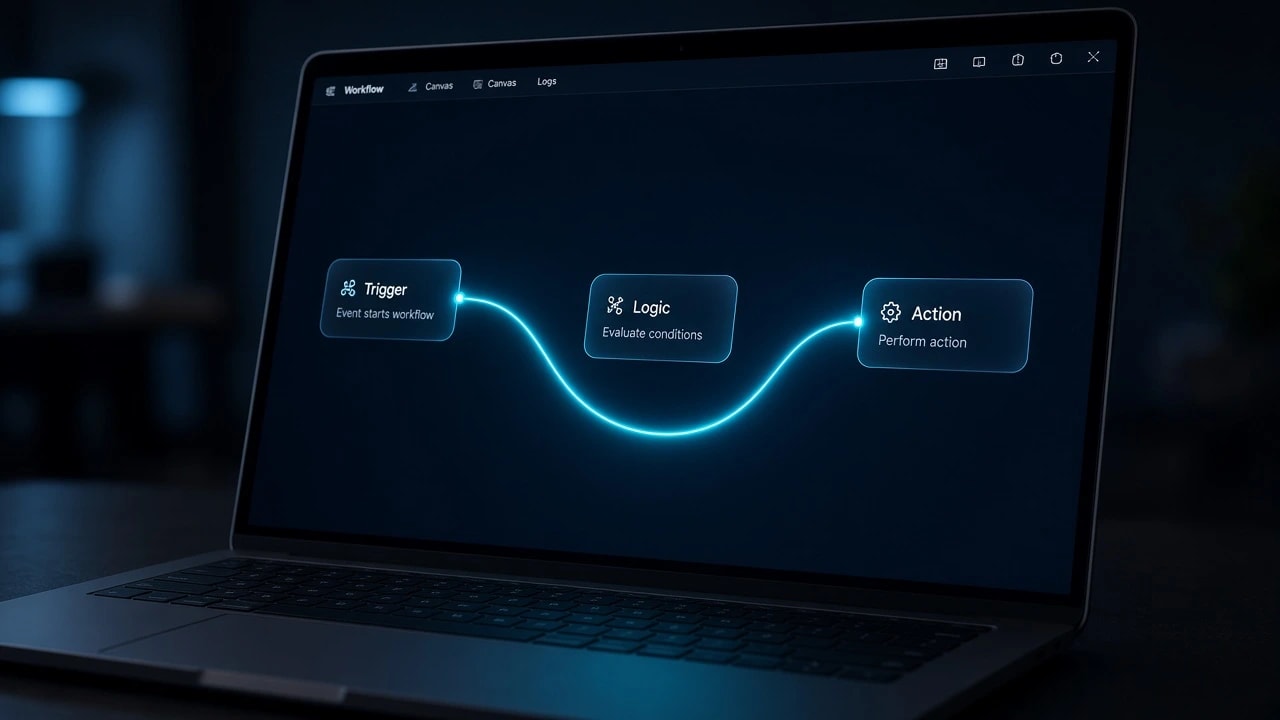
Every automation follows the same structure:
- Trigger — something happens (a form is submitted, a payment is received, a deadline arrives)
- Logic — conditions are checked (is this a new customer? Is the amount above a threshold?)
- Action — something is done (send an email, create a record, post a Slack message, generate a PDF)
Where Businesses Lose the Most Time
Before you automate anything, you need to know where time is actually being lost. This varies by business, but the pattern is consistent.
The highest-impact areas across most SMBs:
| Task | Avg time per week | Automatable? |
|---|---|---|
| Manual data entry between tools | 4–6 hours | Fully |
| Following up with leads by email | 2–4 hours | Fully |
| Generating invoices and reports | 1–3 hours | Fully |
| Scheduling meetings | 1–2 hours | Fully |
| Routing customer inquiries | 1–3 hours | Partially |
| Internal status update communications | 1–2 hours | Mostly |
A business with 5 employees doing these tasks manually loses 50–100 person-hours per week — the equivalent of one full-time employee — to work that software can handle.
Top 5 Automation Opportunities for SMBs
These are the highest-ROI automations for businesses with 3–50 employees.
1. Lead Capture and Follow-Up
The problem: A new lead fills out a form. Someone has to notice it, email the lead, create a CRM record, assign it to a sales rep, and follow up if there's no response.
The automation:
- Form submitted → CRM record created automatically
- Welcome email sent within 60 seconds
- Slack notification to sales team with lead details
- If no response in 48 hours → automated follow-up email
- If no response in 5 days → task created for manual review
Time saved: 2–4 hours/week per team member
2. Customer Onboarding
The problem: A new client signs. Now someone has to send the welcome email, create accounts, add them to the project management tool, send the onboarding questionnaire, and schedule the kickoff call.
The automation:
- Contract signed → all accounts created
- Welcome email + questionnaire sent automatically
- Calendar invite for kickoff generated and sent
- Slack channel created for the project
- Client added to billing system
Time saved: 1–2 hours per new client
3. Invoice Generation and Payment Follow-Up
The problem: Project milestones are reached. Someone has to remember to generate an invoice, format it correctly, email it, then manually follow up when payment is late.
The automation:
- Milestone marked complete → invoice generated automatically
- Invoice emailed to client
- If unpaid after 14 days → reminder email sent
- Payment received → Slack notification + accounting system updated
Time saved: 1–3 hours/week
4. Internal Reporting
The problem: Every Monday morning, someone manually pulls data from 3–4 tools, puts it in a spreadsheet, formats it, and sends it to leadership. Every week. For years.
The automation:
- Scheduled job runs every Sunday night
- Pulls data from all connected systems (CRM, project tool, billing)
- Generates formatted report automatically
- Sends it to the right people by 7am Monday
Time saved: 2–3 hours/week
5. Customer Support Routing
The problem: Support emails arrive in a general inbox. Someone reads each one, figures out the category, and manually forwards or assigns it to the right person.
The automation:
- New email → classified by type (billing, technical, general)
- Assigned to the right team/person automatically
- Customer receives an immediate acknowledgement with expected response time
- Escalated automatically if not responded to within SLA
Time saved: 1–3 hours/week
The Real Numbers: Time and Cost Savings
Let's put a number on what 15 hours/week of saved time actually means.
Assume:
- Average employee cost: $35/hour (salary + overhead)
- Hours saved per week: 15
- Weeks per year: 52
Annual savings = 15 hours × $35 × 52 weeks = $27,300/yearThat's $27,300 in recovered capacity — from a team that's the same size and the same cost.
At scale (50 employees, each saving 2 hours/week):
100 hours/week × $35 × 52 = $182,000/yearAnd that's just the time savings. It doesn't count:
- Fewer errors — manual data entry has a 1–3% error rate; automation is effectively 0%
- Faster response times — leads followed up in 60 seconds vs 4 hours
- Scalability — your automation handles 10x volume with no additional headcount
Custom Automation vs No-Code Tools
You have two main options: no-code platforms (Zapier, Make, n8n) or custom-built automation.
| No-Code (Zapier/Make) | Custom Automation | |
|---|---|---|
| Setup time | Hours to days | Weeks |
| Cost | $20–$500/month + per-task fees | $5K–$25K upfront, then minimal |
| Volume limit | Low–medium | Unlimited |
| Flexibility | Limited to supported apps | Any integration |
| Complex logic | Difficult | Full control |
| Maintenance | Vendor-controlled | Your team controls |
| Best for | Simple, low-volume tasks | High-volume or custom workflows |
How to Start Automating in Your Business
Follow this sequence rather than trying to automate everything at once:
Step 1: Map your highest-volume repetitive tasks
List every task your team does more than twice a week. Focus on tasks that follow a consistent pattern with no judgment required.
Step 2: Prioritize by time × frequency
Rank tasks by: (hours per occurrence × frequency per week). The top 3 are your first automation targets.
Step 3: Choose your tool or approach
For most initial automations: start with Make.com or n8n. Both are more capable than Zapier at lower cost.
For anything with complex logic, proprietary systems, or high volume: build a custom solution.
Step 4: Build, test, monitor
Build the automation. Test it with real data. Set up monitoring so you know immediately if it breaks. Don't assume it's running — verify.
Step 5: Measure and expand
After 30 days, measure actual time savings. If ROI is positive, identify the next 3 candidates. Automation compounds — each process you automate frees up time to automate the next.
Conclusion
Business automation isn't a technology project — it's an operational decision about how your team spends its time. The 15 hours/week figure isn't hypothetical; it's what consistently shows up when businesses systematically audit their workflows and automate the top opportunities.
The businesses that grow without proportional headcount growth are almost always the ones that aggressively automate. Start with lead follow-up, onboarding, invoicing, reporting, and support routing. Measure. Expand. Repeat.
Frequently Asked Questions
Ready to Stop Doing Manually What Software Can Do Automatically?
CodenVibe designs and builds custom automation systems tailored to your exact workflows — not generic no-code templates that break at scale.
Explore Automation ServicesAbout the Author
Engineering & Growth Team at CodenVibe
The CodenVibe team builds custom automation, API systems, and scalable web platforms for growing businesses. We share what we learn from the trenches of real client projects.